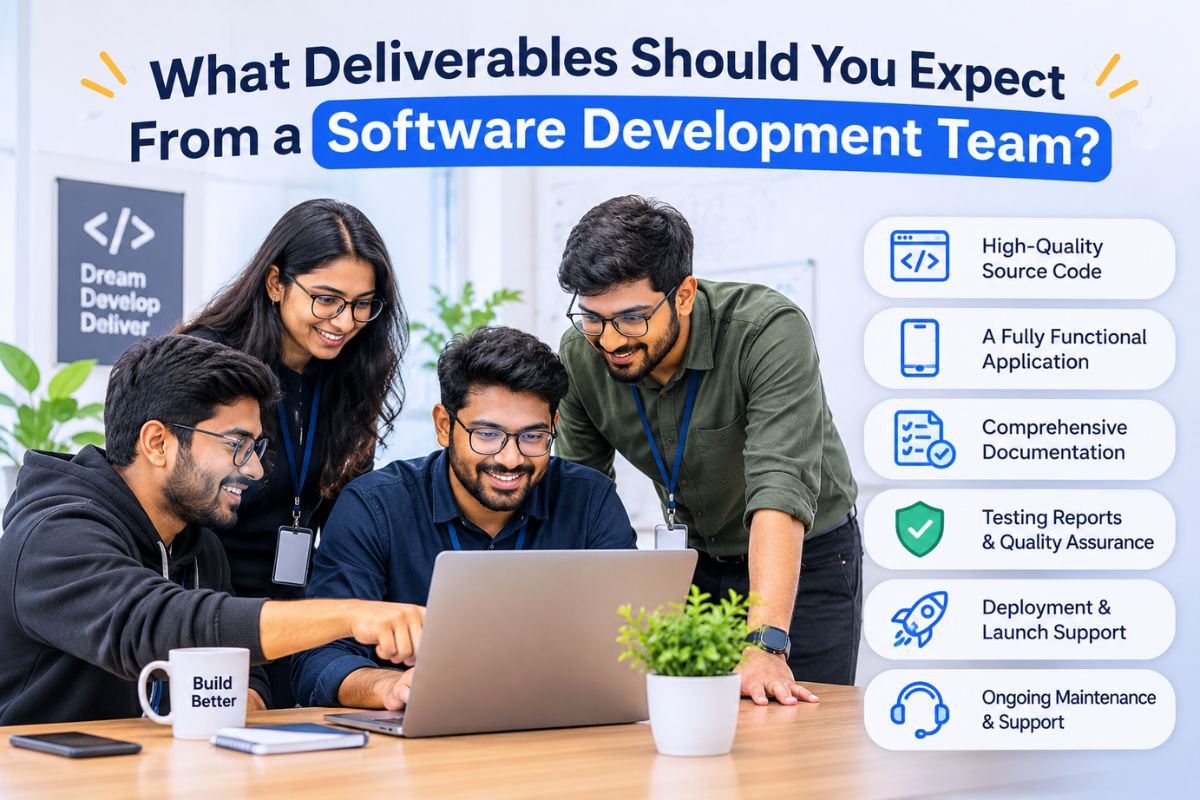
Hiring a software development team involves more than agreeing on features, costs, and delivery dates. You also need to understand what you will actually receive once the work begins and how each stage of the project will be documented. When businesses invest in software development services, they often focus on the final application but overlook the smaller deliverables required to build, test, and maintain it properly. This can create confusion about project progress and responsibilities. Before signing an agreement, it is worth knowing which documents, technical assets, and working solutions should be part of the engagement.
Project Requirements and Scope Documentation
Developers must be clear about what the software must do for the business prior to writing any code. The deliveries that need to be provided first must highlight aims, requirements, and scope of the project.
This documentation serves both sides as a common point of reference. The lack of such documentation may lead to different interpretations of the requirements by the developers, hence creating additional work and expenses.
Business and Functional Requirements
The requirements document will explain what the software has to do and how its users will interact with it. It usually addresses:
- Business objectives: The problems the software is expected to solve and the outcomes the company wants to achieve.
- Functional requirements: Features such as user registration, payment processing, search, reporting, notifications, and account management.
- User roles: Different access levels and permissions for administrators, customers, employees, and other users.
- System integrations: External platforms, APIs, payment gateways, or existing business applications that need to connect with the software.
- Technical requirements: Expected performance, security standards, compatibility, and infrastructure needs.
Project Scope Document
The scope document identifies what the development team will build and what falls outside the agreed work.
For example, if a company is developing an online shopping application, the initial scope might include product listings, customer accounts, shopping carts, payment integration, and order tracking. Advanced recommendation features or a separate seller application may require additional approval.
Having these boundaries in writing makes it easier to manage expectations throughout the engagement.
UI/UX Designs and Interactive Prototypes
Design documents inform businesses about how the software products are going to look and function, even before the development starts.
This is essential for those apps that involve various user roles, complex navigation processes, and several processes. Analyzing this documentation beforehand saves time and funds.
Wireframes and Screen Layouts
Wireframes serve the purpose of showing the structure of an application. They primarily outline where the important components are meant to be placed- various menus, buttons, forms, pictures, or content parts.
The stress here is on the functions, not on the design. For instance, in the case of a healthcare application, it will probably include two dashboards needed for patients and physicians. This is how the system will eventually show them their appointments, medical records, and prescriptions.
High-Fidelity Designs and Prototypes
After receiving confirmation of their layouts, the design team moves onto the next stage by converting the wireframes into presentation slides with their final colour palette, typography, icons, etc.
In furtherance of this prototype creation, another type of prototype has been created, which allows interested stakeholders to go through various scenarios and parts of users’ journeys.
The expected deliverables of the design team at this stage are as follows:
- The wireframes and screen designs that were approved earlier
- High-fidelity UI designs
- The interactive prototypes
- The design systems and reusable components
- The design files and appropriate licensing
The instruments mentioned above serve as a guideline for the developers, thus making the process much easier.
Source Code and Working Software
The actual software is one of the most important deliverables, but receiving an application that works is not the same as receiving complete ownership of the development work.
Businesses should understand what code, modules, and technical components will be provided at the end of the engagement.
Frontend and Backend Development
The frontend includes the parts of the application users interact with, such as dashboards, forms, navigation, and other interface elements.
The backend manages operations that take place behind the interface. These may include authentication, business logic, database operations, payment processing, and communication between different systems.
Depending on the agreed scope, the development team should provide:
- Completed frontend and backend code
- Configured database structures
- API endpoints and integration components
- Authentication and authorization functionality
- Admin panels and user dashboards
- Responsive application functionality
- Required third-party integrations
The software development services should also be delivered according to the agreed specifications. A feature should not be considered complete simply because its interface is visible; the underlying functionality must work as intended.
Source Code Repository and Access
Clients should receive access to the project’s source code repository, such as GitHub or GitLab, depending on the tools used.
The repository should contain the latest approved code, relevant branches, and commit history. This makes it easier for another developer to understand previous changes and continue working on the application.
Ownership terms should also be documented. The agreement must clarify who owns the source code, whether third-party libraries have separate licensing conditions, and when intellectual property rights are transferred.
Testing Reports and Quality Assurance Documentation
Software can appear complete during a demonstration but still contain problems that affect actual users. A login process might fail under certain conditions, a payment integration may return incorrect responses, or a mobile interface might not display properly on specific devices.
Testing deliverables help establish whether the software development services meet the agreed quality requirements.
Types of Testing to Expect
The development team should explain which testing activities are included in the project. These commonly involve:
- Functional testing: Checks whether individual features perform their intended operations.
- Integration testing: Verifies communication between different modules, APIs, and external services.
- Performance testing: Evaluates response times, stability, and behaviour under different workloads.
- Security testing: Identifies vulnerabilities involving authentication, data access, and other security controls.
- Compatibility testing: Checks how the application behaves across supported browsers, operating systems, and devices.
- User acceptance testing (UAT): Allows clients or designated users to verify whether the software meets business requirements.
Not every project requires the same testing depth. The testing approach should reflect the application’s complexity, intended audience, and potential risks.
Bug Reports and Test Results
A proper QA handover should include test cases, execution results, identified defects, and their resolution status.
If an issue remains unresolved, the team should document its impact and explain whether it affects the planned release.
This information gives businesses a clearer picture of software quality instead of relying entirely on verbal confirmation that everything has been tested.
Technical Documentation and User Guides
Documentation is often overlooked when discussing development deliverables. However, it becomes extremely valuable when a business needs to maintain the application, onboard new employees, or bring another developer into the project.
A development team should provide documentation that explains how the software works and how its different components are managed.
Technical Documentation
This documentation is primarily intended for developers and technical administrators. Depending on the project, it may cover:
- System architecture and technology stack
- Database structure and relationships
- API documentation and integration details
- Environment configuration
- Installation and setup instructions
- Authentication and access management
- Build and deployment procedures
For example, API documentation should explain available endpoints, request formats, authentication requirements, and expected responses. This becomes important when the business plans to connect additional applications later.
User Manuals and Administrator Guides
Non-technical users also need instructions for working with the software.
A user guide may explain how to create an account, manage information, complete transactions, or use specific features. Administrator documentation can cover user permissions, dashboard settings, content management, and routine system operations.
The documentation should reflect the final delivered version rather than an earlier development stage.
Deployment and Production Environment Setup
Completing development and testing does not automatically make software available to its intended users. The application must be configured and deployed to an appropriate production environment.
Deployment deliverables depend on the type of software being developed and the infrastructure selected for the project.
Hosting and Infrastructure Configuration
The team may be responsible for configuring cloud hosting, servers, databases, domain settings, SSL certificates, and other infrastructure components.
For applications hosted on cloud platforms, this can also include environment variables, access permissions, storage configuration, and monitoring services.
Businesses should receive the necessary account details, configuration information, and ownership arrangements for these resources.
Production Release and Deployment Verification
Before the application goes live, the team should verify that the production environment is configured correctly.
This may involve:
- Deploying the approved software build
- Configuring production databases
- Connecting external services and APIs
- Enabling security certificates
- Checking application performance
- Verifying important user workflows
- Setting up backups and monitoring
A deployment report or release note can record what was launched, which version was deployed, and whether any known issues remain.
Final Handover and Project Closure
Once development, testing, and deployment are complete, the team should formally transfer the agreed project assets to the client.
A proper handover ensures that the business is not dependent on the original developers simply to access or operate its own software.
Assets and Access Credentials
The final handover should include all relevant project materials, such as:
- Complete source code and repository access
- Design files and approved prototypes
- Database and technical documentation
- Hosting and cloud account access
- API keys and integration details, transferred securely
- Deployment instructions
- User and administrator guides
- Testing reports and release notes
The client should verify access to all agreed accounts and confirm that the delivered assets match the contract.
Final Review and Sign-Off
Before closing the engagement, both parties should review the completed work against the original requirements.
Any pending issues, excluded features, or remaining tasks should be documented. The client can then approve the delivery through a formal sign-off process.
This final step establishes that the agreed work has been handed over and gives both sides a clear record of project completion.
Conclusion
Choosing the right software development team involves looking beyond the finished application. Businesses should know what documentation, designs, source code, testing reports, deployment support, and technical resources they will receive throughout the engagement. Clearly defined software development services help establish responsibilities, maintain transparency, and ensure that every stage of the project meets agreed expectations. A well-planned handover also gives businesses the resources needed to manage, update, and maintain their software independently.
Devherds provides end-to-end development support, from initial planning and design to development, testing, deployment, and maintenance. Book your free 30-minute strategy call to discuss your requirements and plan your next software project with confidence.